Realistic synthetic imagery, audio, faces or fully/significantly AI-created content should pass an AI disclosure/label gate.
 F-COMMERCE TRAINING SYSTEM
AIGC VIDEO PRODUCTION ENGINEERING
Teach script writers and video editors to operate an AI-native TikTok production system — from brand knowledge to model routing, generation, edit, compliance and performance learning.
Business Objective→Knowledge→Script→Keyframes→Generation→Edit→Publish→Learn
Created by 119994 Wildan Ega PradanaF-Commerce internal training formatPolicy/model snapshot: 11 Aug 2026
Human directs. AI generates inside a controlled system.
POLICY BEFORE PRODUCTION
TikTok AIGC is allowed. Misleading AIGC is not.
Build compliance into the workflow before the first generation. The local Indonesia Seller University page supplied for this course remains the publication-time source of truth; the official TikTok/TikTok Shop guidance below provides the operating baseline.
Do not change size, color, shape, features or performance in a way that makes the promoted product inaccurate.
Do not use unauthorized likeness/voice or fabricate fake doctors, experts or professional authority to sell.
Before/after and demonstrations must remain plausible. AI cannot manufacture effects the product does not realistically achieve.
Production rule: A beautiful shot with the wrong product is a failed commercial asset. A high-performing hook that violates policy is also a failed asset.
MODEL LANDSCAPE
Route by production task, not by favorite model.
Capabilities move quickly. This table is a teaching snapshot, not a permanent ranking. Recheck the specific model surface before a paid production.
| Model / Surface | Role | Strong routing use | Prompt behavior | Current source |
|---|---|---|---|---|
| Seedream 5.x | Image gen/edit | First/last frames, storyboard, product visualization | Rich visual brief + references | ByteDance Seed pages |
| Wan 2.x | Video | T2V/I2V experiments, draft motion | Core action + camera; simple scope | Official Wan2.2 repo |
| Kling VIDEO 3.0 | Video + audio | Start/end, cinematic movement, multi-shot | Subject + movement + scene + camera + light | Kling official user guide |
| Seedance 2.x | Multimodal video | Reference-heavy commercial scenes | Define role of image/video/audio refs + action | ByteDance Seed / current surface |
| Veo 3.1 | Video | Hero realism, first/last, reference-guided shots | Full scene direction when needed; verify audio support by variant | Google Cloud docs |
| Gemini | Reasoning / multimodal | Briefs, RAW analysis, scripting, planning | Structured context + requested output schema | Google model surface |
| ChatGPT Images / GPT Image 2 | Image gen/edit | Reasoning-heavy keyframes and edits | Clear constraints + references | OpenAI official docs |
| Grok Imagine | Image + video | Fast alternate ideation / I2V/T2V | Direct visual or motion intent | xAI official docs |
| Runway Gen-4.5 | Video / AI post | Controlled motion and editing workflow | I2V: focus on motion + camera | Runway official guides |
| ElevenLabs | Voice | VO, narration, dubbing | Age + accent + tone + pace + emotion + style | ElevenLabs docs |
| Suno | Music / sound | Music beds, jingles, rhythmic concepts | Genre + tempo + instrumentation + dynamics + structure | Suno help center |
| Higgsfield | Multi-model production router | Route scenes across model families; credit-aware workflow | Select underlying model per scene | Higgsfield help / MCP docs |
Important Veo note: current Google documentation exposes different sound capabilities across Veo 3.1 variants/interfaces. Do not teach “Veo always generates native audio” as a universal rule; verify the exact endpoint/surface being used.
FOUNDATION 01
Prompt = an instruction interface
A prompt is not a magic sentence. It is the interface that translates human creative intent into instructions for a specific model.
Understand
- The same creative intent can require different prompt structures in an image model, a motion model, an audio model and a reasoning model.
- A product-image prompt behaves like art direction. An image-to-video prompt behaves like motion direction. A voice prompt behaves like performance direction.
- There is no universal perfect prompt; there is only a prompt that is fit for the assigned production job.
Workshop
Give students one scene idea, then ask them to write four different instructions: image keyframe, image-to-video motion, voice performance, and music mood. Compare how the vocabulary changes.
Deliverable
A one-page “same intent, four interfaces” worksheet.
FOUNDATION 02
Prompt writing vs prompt engineering
Prompt writing is composing instructions. Prompt engineering is designing the repeatable system around those instructions.
Understand
- Decide what information belongs in text and what should be carried by reference assets.
- Choose which model receives which information and which instruction has priority.
- Define evaluation criteria, failure codes, correction logic and reusable prompt blocks.
- Treat the prompt library as production infrastructure, not a folder of random successful sentences.
Workshop
Take a successful one-off prompt and convert it into reusable blocks: PRODUCT_, CHARACTER_, ENV_, CAMERA_, ACTION_ and VOICE_.
Deliverable
A modular prompt block map.
FOUNDATION 02B
Prompt Structure Workflow
Move students from a single instruction to a controlled workflow: goal, context, steps, checkpoints, and final output.
Single prompt
Write a summary of this report.
↓
ResponseA single output
Workflow
GoalDefine what you want to achieve
↓
ContextAdd background and relevant details
↓
StepsBreak up the work into clear actions
↓
CheckpointsVerify progress and ensure quality
↓
Final outputPolished, accurate, and ready to use
✓
More structured. More reliable. More useful.
INTERACTIVE STRUCTURE BUILDER
COMPLETE STRUCTURED PROMPT
FOUNDATION 03
The four AI budgets
Every generation spends four resources at the same time: text, references, time inside the shot, and credits.
Understand
- Text budget: how much written instruction the model can reliably prioritize, not just how many tokens it accepts.
- Reference budget: how much information is already communicated through product, character, environment, first/last-frame, style or motion references.
- Temporal budget: how many actions can realistically happen within a 4–15 second generation without compression, morphing or missed beats.
- Credit budget: model, duration, resolution, retries, upscaling and audio all create cost. Budget per approved shot, not per click.
Workshop
Give a five-second scene with eight actions. Students must reduce it to one primary action, one camera behavior and one end state.
Deliverable
A four-budget check before every generation.
FOUNDATION 04
Prompt overload creates instruction competition
More adjectives do not automatically create more control. A model can accept a long prompt and still fail because too many instructions compete for the same short clip.
Understand
- Common symptoms: camera drift, subject drift, product drift, action compression and priority loss.
- If the starting image already defines appearance, lighting and composition, stop repeating those details in the motion prompt.
- Reduce complexity before changing models. A stronger model does not fix a scene that is physically impossible in the available duration.
Workshop
Use the interactive overload/compressed prompt switch later in this course and identify which instructions are essential.
Deliverable
A compressed prompt with no duplicated visual information.
FOUNDATION 05
Prompt priority: lock truth before decoration
Commercial AIGC has a hierarchy. Product and identity truth come before movement, camera and visual decoration.
Understand
- Priority 1 — what MUST stay correct: product, character, color, geometry, claims.
- Priority 2 — what MUST happen: the core action.
- Priority 3 — camera behavior.
- Priority 4 — atmosphere and lighting mood.
- Priority 5 — optional enhancements such as bokeh, particles or decorative flourishes.
Workshop
Highlight every phrase in a prompt by priority. Delete Priority 5 until the core scene works.
Deliverable
A priority-annotated scene prompt.
FOUNDATION 06
Master Scene Specification + Model Adapter
Keep one complete source of truth, then translate it into the smaller prompt each model actually needs.
Understand
- The Master Scene Specification stores objective, IDs, composition, action, camera, expression, lighting, dialogue, duration and end state.
- A Seedream/ChatGPT Images adapter keeps visual art direction because it is generating the frame.
- A Runway image-to-video adapter can become mostly movement + camera because the image already carries appearance.
- A Kling or Seedance adapter can add motion, reference roles and multi-shot structure when the task needs them.
- A Veo adapter may include fuller cinematic direction, but only where the selected Veo surface supports the needed controls.
Workshop
Build one master scene, then click through every model in the Prompt Structure Maker and compare the adapted output.
Deliverable
One scene spec + at least three model-specific prompts.
FOUNDATION 07
Model routing, not model fandom
The useful question is not “Which AI is best?” It is “Which AI is best for this shot, with these references, at this budget?”
Understand
- Start with modality: image, video, voice or music.
- Identify what is already locked: character, product, environment, first frame, last frame or motion reference.
- Identify the hard part: product accuracy, identity consistency, physical interaction, dialogue, camera choreography, transformation or multi-shot narrative.
- Classify the shot: Hero, Support or Filler.
- Choose a model and route only after those answers are clear.
Workshop
Use the routing mini-tool: change the same scene from filler to hero and see how the recommendation changes.
Deliverable
A scene-by-scene routing rationale.
FOUNDATION 08
Higgsfield as a production router
Operationally, Higgsfield is a multi-model production environment. The editor still needs to know which underlying model is doing the job.
Understand
- Think “route this shot to Kling / Seedance / Veo / Wan…” rather than “I use Higgsfield.”
- Generation cost depends on the selected model and configuration such as resolution; credit planning is part of pre-production.
- MCP can expose Higgsfield generation capabilities to agent workflows, but automation does not remove the need for creative and compliance approval.
Workshop
For five scenes, decide which can be tested cheaply and which deserve premium final generations.
Deliverable
A model-routing + credit map.
INTERACTIVE PROMPT LAB
Prompt Lab for Script Writers and Video Editors
Choose one builder. The form changes based on whether the user needs a script prompt or a scene generation prompt.
BUILDER MODE
PROMPT LAB OUTPUT
PROMPT COMPRESSION DEMO
See prompt compression in action.
First remove instruction competition. Then adapt the scene to the model.
Woman walking toward the kitchen island, slowly smiling, picking up the organizer, opening it, placing skincare products inside it, turning around, sunset through the window, handheld camera changing into dolly zoom, close-up then wide shot, premium commercial lighting, emotional atmosphere, realistic skin, 35mm, 50mm, particles, bokeh, cinematic reveal, dramatic rack focus...
Failure risk: multiple actions + conflicting camera moves + decorative details compete for the same temporal budget.
MENTAL MODEL
MASTER INTENT -> MODEL ADAPTER -> MODEL PROMPT
Keep the complete truth in the master specification. The model prompt can be much smaller because references and the selected generation mode already carry information.
Truth->Route->Adapter->Generate->Diagnose
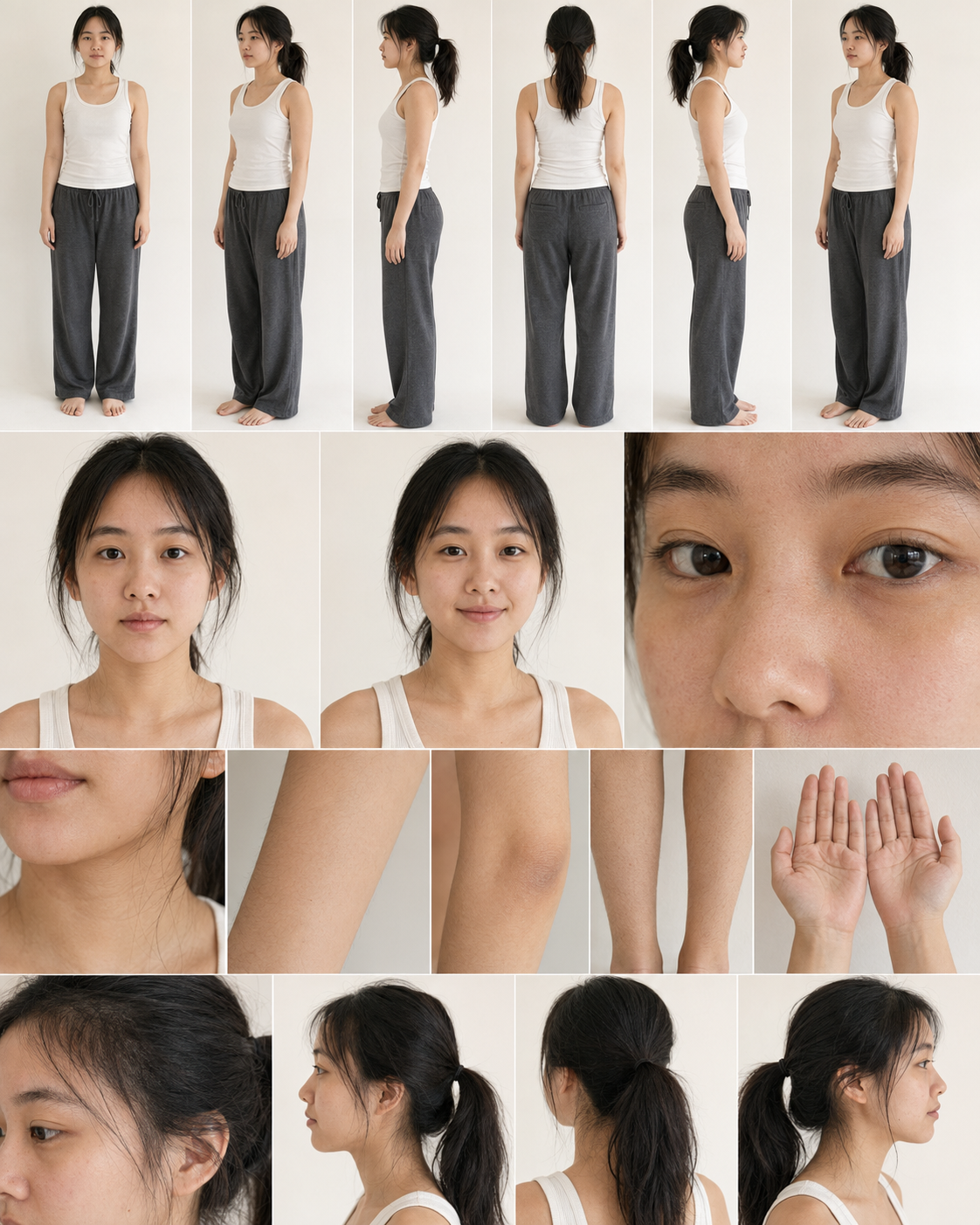
CHARACTER BUILD REFERENCE
Use reference boards to lock identity before generating motion.
These boards show the type of multi-angle body, face, expression, skin-detail and hand references that script writers and editors should attach before building character-based scenes.

CASE VISUAL — PROVIDED PROJECT ASSETS
Generate the frame first. Then animate only what must move.
The supplied Aveeno assets are used here as a concrete training case for keyframe thinking, product accuracy, motion compression and post-generation evaluation.

FIRST FRAME
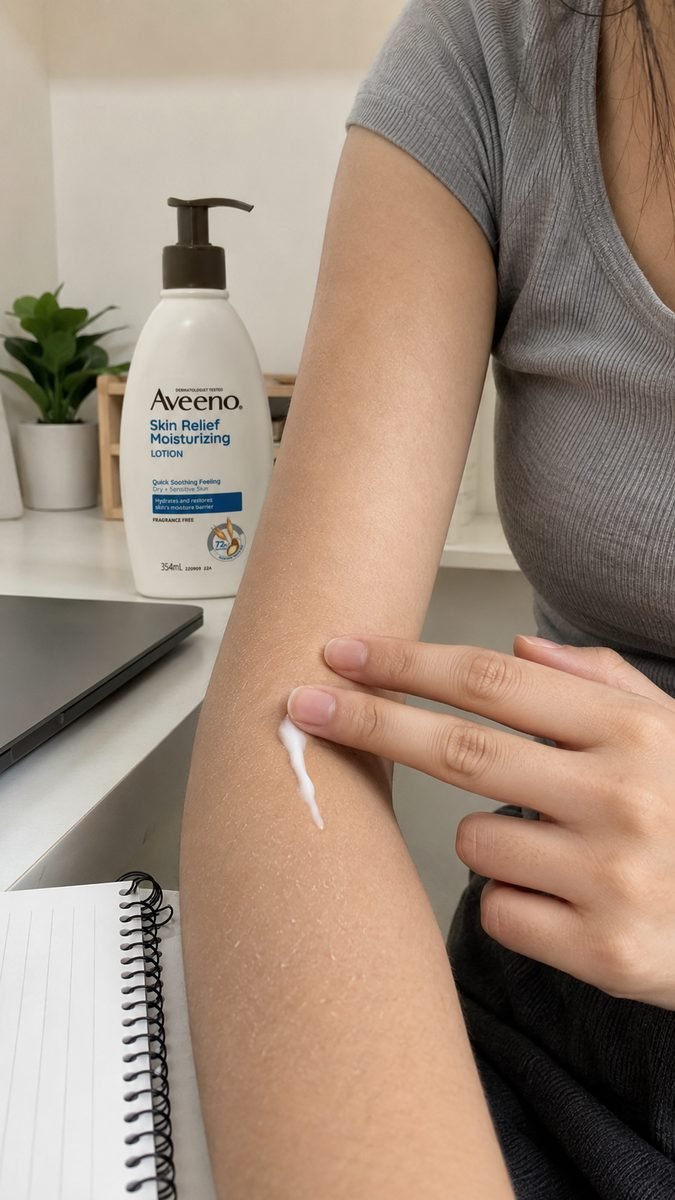
Dryness proof + product context
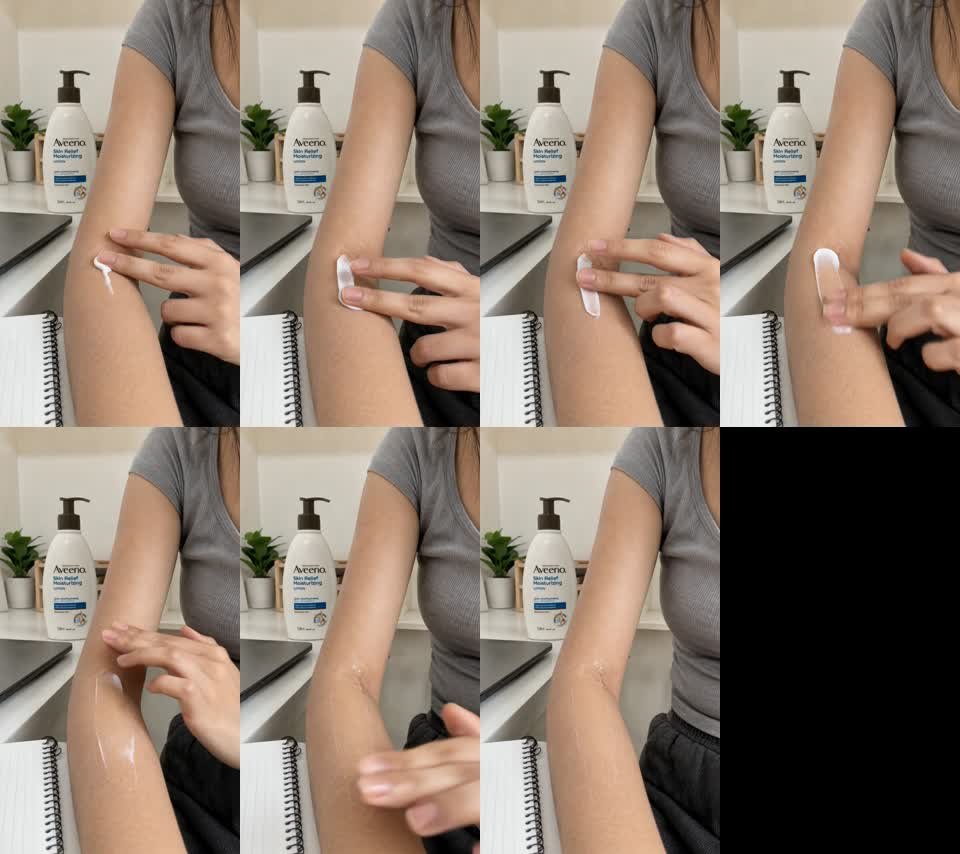
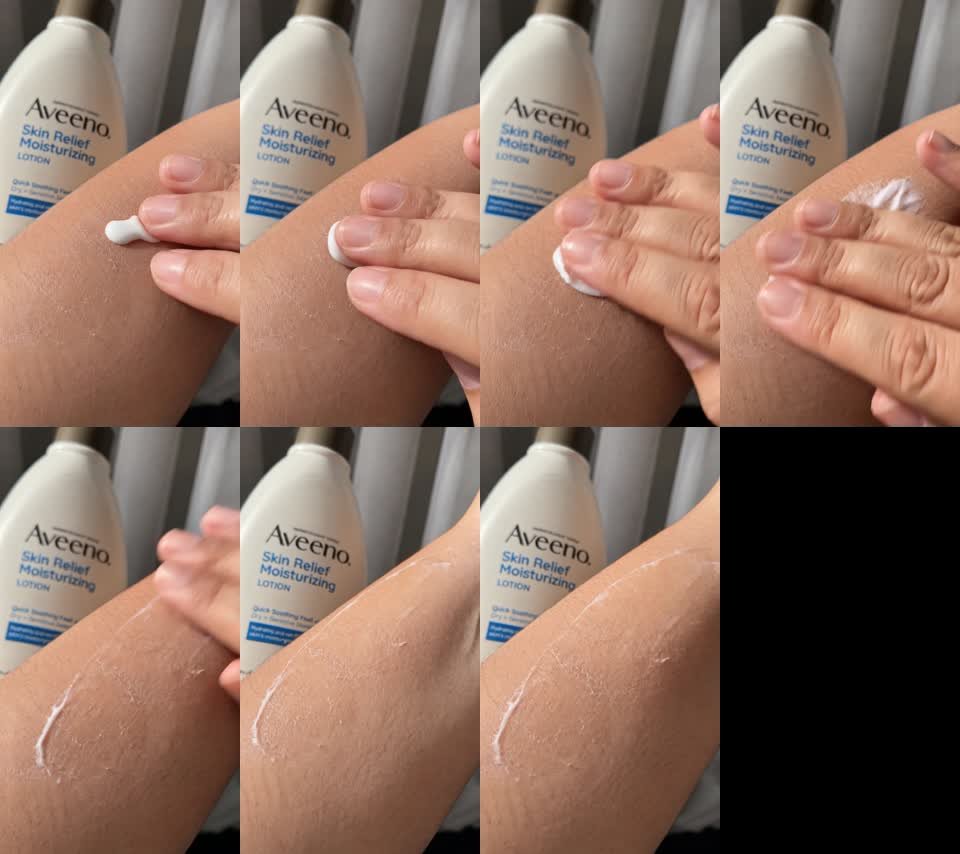
Image prompt intent: vertical 9:16, tight forearm with believable dry texture, approved product reference beside the arm, neutral bedroom daylight, exact packaging preserved, no medicalized or exaggerated skin effect.
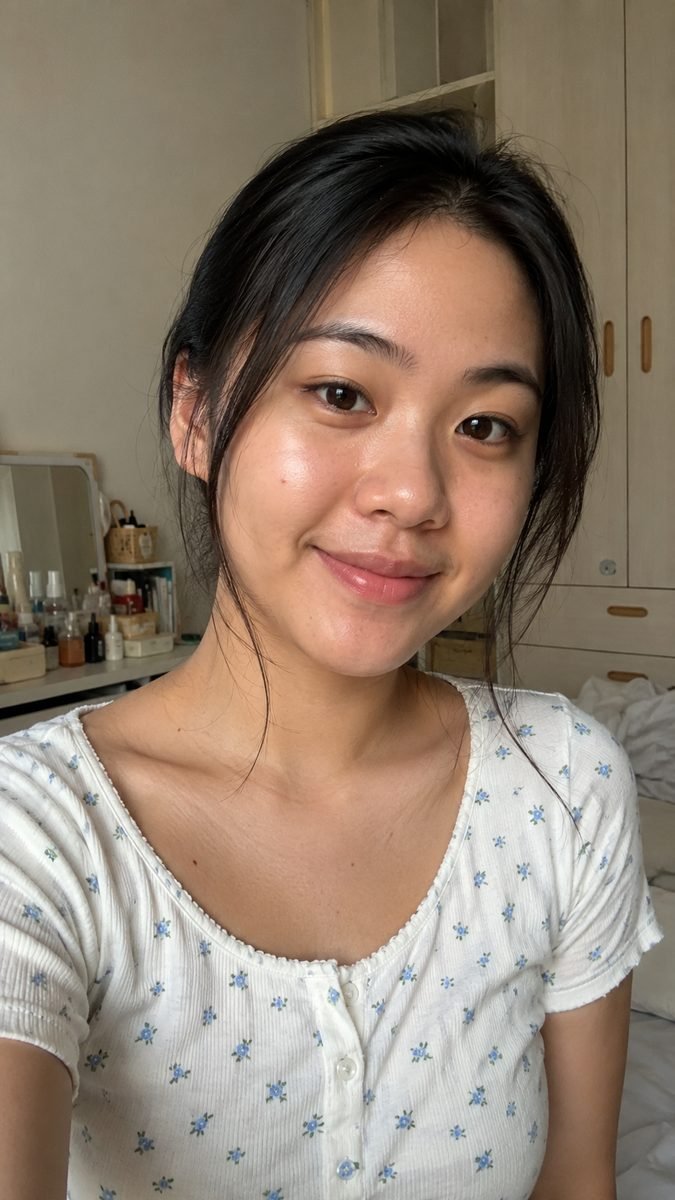
LAST FRAME
Human result without miracle transformation
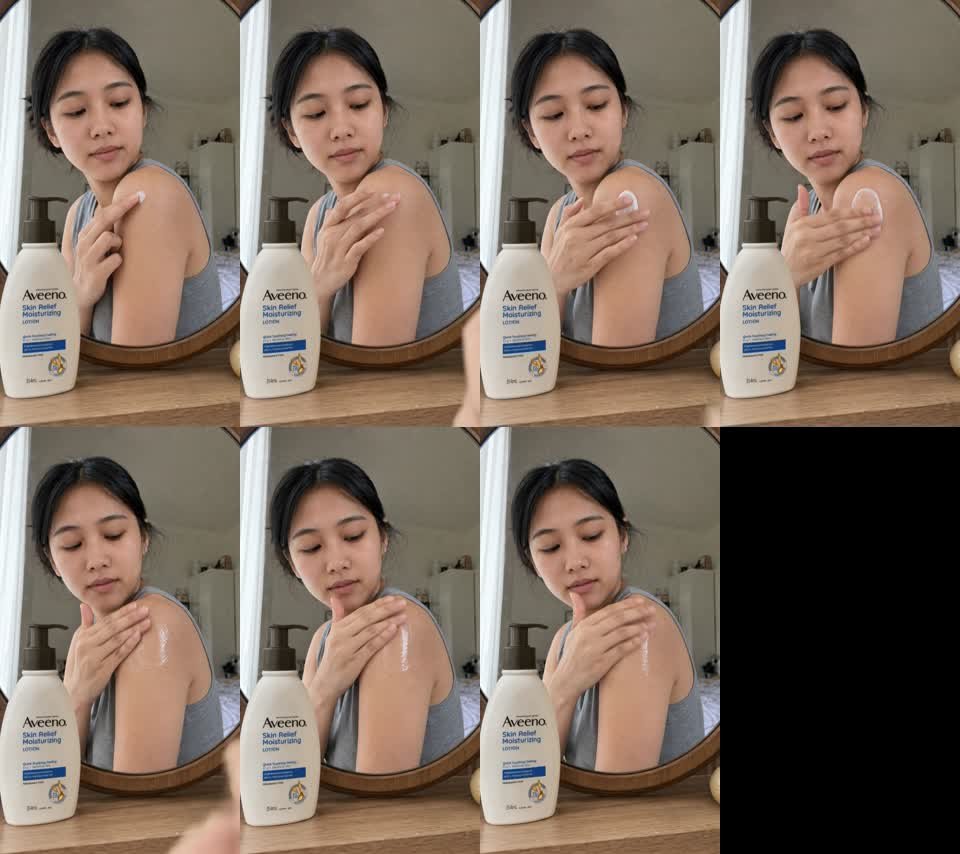
Image prompt intent: same approved character identity, calm satisfied expression, natural skin texture, soft daylight, believable routine result, no dramatic efficacy claim.
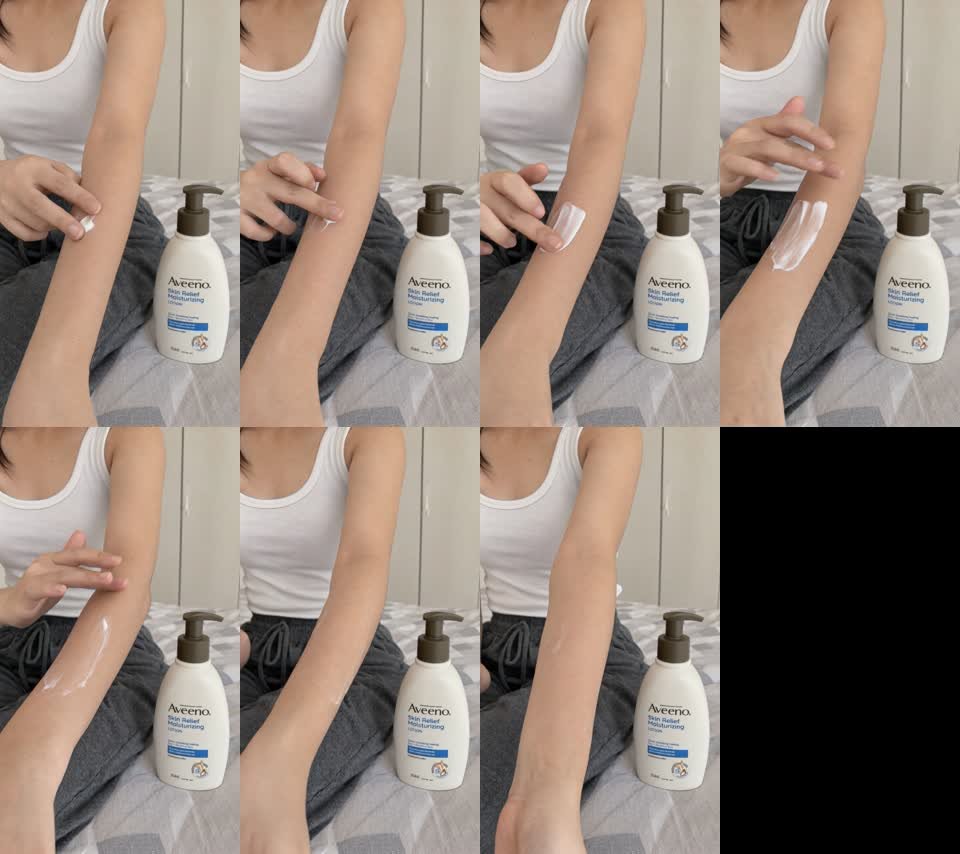
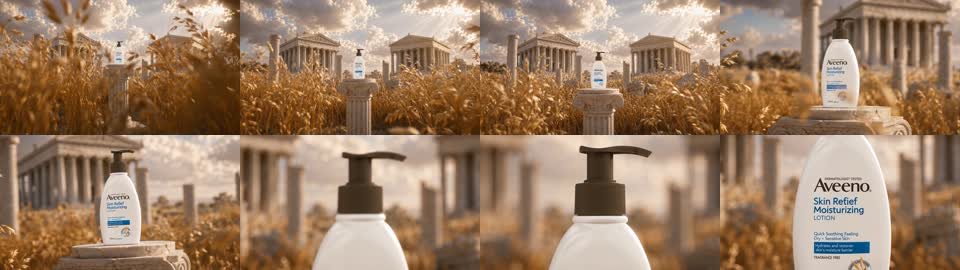
EXAMPLE GENERATED MOTION CLIP
Supplied project asset used as a generation-output example. Treat generated video as raw material for editing and failure diagnosis.
MODULE 01
Brand Knowledge Engineering
Turn brand guidelines into reusable constraints so every writer/editor starts from the same truth.
WHAT TO TEACH
- Positioning, personality, values, tone, approved vocabulary and forbidden vocabulary.
- Audience baseline: life stage, motivations, frustrations, buying triggers, objections and content behaviour.
- Product category architecture: categories, subcategories, hero SKUs, complements and usage environments.
STUDENT DELIVERABLE
Create `BRAND_MASTER_KNOWLEDGE.md`. Keep stable information here instead of repeating it in every scene.
PASS STANDARD
Students can explain which brand facts belong in knowledge, which belong in the scene, and which should never become generation decoration.
MODULE 02
Product Knowledge Engineering
Make the SKU impossible to accidentally reinvent.
WHAT TO TEACH
- Store product name, SKU, category, material, dimensions, color, functions, usage, restrictions and validated claims.
- Translate marketing language into a real human problem. “Organized home” is weaker than “my skincare bottles keep spreading across the sink.”
- Attach winning content intelligence: hook, angle, reveal timing, duration, CTR/CVR/GMV/ROI when available.
STUDENT DELIVERABLE
Create `PRODUCT_[SKU]_KNOWLEDGE` and a product reference set.
PASS STANDARD
Students can identify a misleading AI product depiction before it reaches edit.
MODULE 03
Character System
Create reusable characters so identity is a controlled asset instead of a new lottery in every generation.
WHAT TO TEACH
- Lock appearance: face, hair, age impression, skin, body, wardrobe and accessories.
- Lock behaviour: personality, posture, gesture style, energy and signature attitude.
- Lock voice: pace, tone, accent, pitch and emotional baseline.
- Maintain front, three-quarter, profile, full-body and expression references where needed.
STUDENT DELIVERABLE
Create `CHARACTER_BIBLE_[ID]`.
PASS STANDARD
Students can separate identity problems from camera, product and motion problems.
MODULE 04
Camera & Cinematography System
Give script writers enough visual language to write shots that editors can actually execute.
WHAT TO TEACH
- Shot sizes: ECU, CU, MCU, MS, MWS, WS, EWS.
- Angles: eye-level, high/low, top-down, POV, OTS, product-level and purposeful Dutch angle.
- Lens character: wide, normal, portrait/tele, macro. Think visual effect, not fake lens-number decoration.
- Movement: locked, pan, tilt, dolly, truck, pedestal, orbit, tracking, handheld, push/pull, crane and rack focus.
- Exposure language: depth of field, highlight behavior, contrast, shadows, motion blur and color temperature.
STUDENT DELIVERABLE
Create camera presets such as `CAM_UGC_HANDHELD`, `CAM_PRODUCT_MACRO`, `CAM_COMMERCIAL_50MM`.
PASS STANDARD
Students can choose one camera behavior that supports the narrative rather than stacking five moves.
MODULE 05
Environment System
Make locations reusable and consistent across a campaign.
WHAT TO TEACH
- Store location, architecture, furniture, background, color palette, light direction, time, weather and atmosphere.
- Describe environmental movement only when it matters to the shot.
- Use reference images to carry complex architecture instead of writing the entire room into every video prompt.
STUDENT DELIVERABLE
Create environment IDs such as `ENV_KITCHEN_01`, `ENV_BEDROOM_01`, `ENV_DESK_01`.
PASS STANDARD
Students can reuse one environment without visual drift across multiple scenes.
MODULE 06
Prompt Library Engineering
Convert locked knowledge into modular blocks instead of rebuilding prompts from zero.
WHAT TO TEACH
- Use stable IDs: `BRAND_`, `PRODUCT_`, `CHARACTER_`, `ENV_`, `CAM_`, `ANGLE_`, `VOICE_`, `HOOK_`, `CTA_`.
- Store the block, status, version, must-stay-correct fields and reference assets.
- Retire losing blocks; promote winning blocks after performance evidence.
STUDENT DELIVERABLE
Use the supplied Excel showcase as the starter prompt library.
PASS STANDARD
Students can assemble a scene from reusable blocks and know which block to update when something changes.
MODULE 07
Content & Script Engineering
Start from a business job, not from an AI trick.
WHAT TO TEACH
- Choose objective: awareness, consideration, conversion or education.
- Select angle: problem-solution, demonstration, before-after, unexpected use, comparison, POV, lifestyle, social behaviour or visual satisfaction.
- Build hook as narrative + visual + audio where needed.
- Write dialogue/VO and CTA only after the shot architecture is plausible.
STUDENT DELIVERABLE
Create a 15–25s script with objective, audience, pain point, angle, hook, narrative, VO/dialogue and CTA.
PASS STANDARD
Students can explain why the video should exist before explaining how it is generated.
MODULE 08
AIGC Script Format
Make the script an executable production object rather than a Word document with Visual + VO.
WHAT TO TEACH
- Every scene should expose purpose, timing, visual, dialogue/VO, route, first frame, last frame, motion, model and estimated credit.
- The editor should know exactly what needs generation and what can be solved in edit.
- If the shot cannot be routed, the script is not finished.
STUDENT DELIVERABLE
Use the scene table format in the course and Excel example.
PASS STANDARD
A different editor can execute the script without asking the writer what the scene meant.
MODULE 09
Generation Architecture
Choose how the shot is generated before choosing the model.
WHAT TO TEACH
- Routes: Text→Video, Image→Video, First Frame→Video, First+Last Frame→Video, Multi-Reference→Video, Storyboard→Multi-shot, Existing Video→AI Transformation, Motion Reference→Generation.
- Text-to-video gives maximum invention but minimum visual lock.
- Reference-heavy routes reduce invention and are often safer for commercial product work.
STUDENT DELIVERABLE
Assign one route to every scene and explain why.
PASS STANDARD
Students stop defaulting to text-to-video for shots that need product or character consistency.
MODULE 10
Storyboard Engineering
Break the edit into visual beats, then consolidate beats into the minimum sensible number of generations.
WHAT TO TEACH
- A 15–20s TikTok may contain 6 editorial cuts but only 2–4 generated clips.
- Generate longer usable motions and cut them aggressively in edit.
- Storyboard timing: hook → pain → reveal → demonstration → result → close is a framework, not a mandatory formula.
STUDENT DELIVERABLE
Create a beat board and generation consolidation plan.
PASS STANDARD
Students can reduce credit consumption without flattening the edit.
MODULE 11
Keyframe Engineering
Lock visual truth in an image before asking a video model to invent motion and appearance at once.
WHAT TO TEACH
- Specify subject, pose, product, environment, composition, shot size, angle, lens character, lighting, expression and wardrobe.
- Use product and character references whenever those elements must remain exact.
- Approve the frame against product/compliance rules before motion generation.
STUDENT DELIVERABLE
Create and approve first-frame assets with deterministic names.
PASS STANDARD
Students can reject a beautiful frame when the product is wrong.
MODULE 12
Last-Frame Engineering
Use a destination frame when the ending state matters.
WHAT TO TEACH
- Useful for before→after, closed→open, messy→organized, wide→close, empty→filled and reveal structures.
- The last frame must preserve character, product, environment and lighting continuity unless the story intentionally changes them.
- Do not redesign the scene between first and last frame.
STUDENT DELIVERABLE
Create last-frame prompts only where the destination is worth controlling.
PASS STANDARD
Students can tell when last-frame control adds value and when it just adds unnecessary work.
MODULE 13
Motion Prompt Engineering
Once the frame is locked, prompt motion—not the photograph.
WHAT TO TEACH
- Describe subject motion, object motion, camera motion, environmental motion, facial performance, timing and ending behaviour.
- Keep hand/product interactions simple and physically sequential.
- For image-to-video, remove visual information already supplied by the frame unless it is a must-not-change constraint.
STUDENT DELIVERABLE
Write a compressed motion prompt for each keyframe-driven scene.
PASS STANDARD
Students can turn a 200-word image description into a 25–60 word motion instruction when appropriate.
MODULE 14
Character & Product Consistency
Diagnose identity and product failures separately.
WHAT TO TEACH
- Character: face, hair, body, wardrobe, voice and behaviour.
- Product: shape, dimensions, material, logo, color, opening mechanism and physical behaviour.
- Aesthetic quality never overrides product truth in commercial content.
STUDENT DELIVERABLE
Add a product/character QA checkpoint after every generated shot.
PASS STANDARD
Students can identify whether to fix reference assets, crop, motion or model route.
MODULE 15
Audio Engineering
Treat dialogue, VO, foley, ambience, SFX, music and silence as separate production layers.
WHAT TO TEACH
- Decide whether audio should be native to video or built in post.
- Voice prompts should use voice dimensions such as age impression, accent, tone, pacing, emotion and performance style.
- Music prompts should use musical language: genre, tempo, instrumentation, energy, structure and dynamics.
- Use post-production when separate layers provide better control.
STUDENT DELIVERABLE
Create an audio plan per scene and a reusable VOICE_ profile.
PASS STANDARD
Students can explain why native generation is or is not worth using for a shot.
MODULE 16
Credit Engineering
Budget iterations before generation starts.
WHAT TO TEACH
- Classify shots HERO / SUPPORT / FILLER.
- Allocate planned attempts instead of regenerating indefinitely.
- Draft cheap/fast to validate composition and movement; spend premium credits only after the concept locks.
- Track credits per approved shot and credits per finished video.
STUDENT DELIVERABLE
Create a credit ceiling per scene and 15–25% contingency for the project.
PASS STANDARD
Students stop using “credits per generation” as the only efficiency metric.
MODULE 17
Failure Diagnosis
Do not regenerate blindly. Classify the failure, then change only the relevant input.
WHAT TO TEACH
- F01 wrong character; F02 wrong product; F03 wrong action; F04 bad physics; F05 camera drift; F06 expression failure; F07 object morphing; F08 environment drift; F09 prompt ignored; F10 continuity failure.
- Camera wrong? Change camera instruction. Character wrong? Improve character reference. Movement wrong? Rewrite motion. Product wrong? Strengthen the product lock.
- Preserve what already works.
STUDENT DELIVERABLE
Log failure code, likely cause, change made and next result.
PASS STANDARD
Students reduce random prompt rewrites and learn from failed generations.
MODULE 18
TikTok AIGC Compliance
Treat compliance as a production gate, not a publishing afterthought.
WHAT TO TEACH
- TikTok requires labeling/disclosure for realistic AI-generated image, audio and video content under its AIGC rules.
- TikTok Shop guidance requires truthful and accurate content, clear AI disclosure when fully/significantly AI-generated or altered, no unauthorized impersonation, and accurate product representation.
- Do not change product size, color, shape, features or performance; do not fabricate miraculous results or fake professional endorsement.
- Minor basic edits such as simple cropping/color/noise adjustments may be treated differently from significant AI alteration; recheck the current regional policy before publish.
STUDENT DELIVERABLE
Complete the AI disclosure + product truth + rights + claims checklist.
PASS STANDARD
Students can stop a non-compliant export even when the creative is strong.
MODULE 19
Production Handoff
The writer hands over an AIGC Production Pack, not just script copy.
WHAT TO TEACH
- Project brief; brand/product/character/environment IDs; script; storyboard; shot list; generation route; keyframe prompts/assets; model recommendation; audio direction; credit estimate; editor notes; compliance gate.
- Make dependencies visible: which references are required before the editor can generate?
- Use deterministic asset IDs so the handoff survives multiple people and versions.
STUDENT DELIVERABLE
Build one complete AIGC Production Pack.
PASS STANDARD
An editor can begin work without rebuilding knowledge or asking for missing reference logic.
MODULE 20
Version Control
AIGC creates many near-identical assets; naming is production infrastructure.
WHAT TO TEACH
- Format: `BRAND_PRODUCT_SCENE_TYPE_VERSION_MODEL`.
- Keep draft, approved and export status clear.
- Never rely on `final.mp4`, `final2.mp4`, `finalfixbanget.mp4`.
STUDENT DELIVERABLE
Rename the supplied case folder assets according to the convention.
PASS STANDARD
Students can identify the latest approved asset without opening every file.
MODULE 21
Performance Learning
Connect creative decisions to performance and feed the learning back into the prompt library.
WHAT TO TEACH
- Track hook, angle, opening frame, camera, character, duration, reveal timing, model, visual style, CTA plus CTR/CVR/GMV/ROI where relevant.
- Create winning pattern IDs such as `HOOK_WIN_023`, `ANGLE_WIN_008`, `CAM_WIN_004`.
- Promote, revise or retire prompt blocks based on evidence rather than personal preference.
STUDENT DELIVERABLE
Complete a post-publish creative learning row and update the library.
PASS STANDARD
Students understand that the production system should become smarter after every campaign.
EXERCISE — PROMPT STRUCTURE MAKER
Build one scene. Compile it for different models.
This is deliberately closer to a production form than a blank chat box. Students learn which information belongs in the master scene versus the model adapter.
PRINTED WORKED PROMPT BUILDER
Aveeno application scene
MASTER SCENE SPECIFICATION
SCENE: S03
OBJECTIVE: Demonstrate lotion application on visibly dry forearm without exaggerating the result.
PRODUCT: PRODUCT_AV_SR354 - preserve white 354ml bottle, brown pump, label, scale and color.
CHARACTER: CHAR_F25_A - approved character reference; realistic skin and natural behaviour.
ENVIRONMENT: ENV_DESK_01 - neutral WFH desk, daylight, product stable in background.
START: Tight forearm composition; lotion bead already placed.
ACTION: Two fingers slowly spread lotion across the forearm in one continuous motion.
CAMERA: Locked close shot with tiny natural handheld drift.
DURATION: 5 seconds.
END: Lotion mostly spread; hand exits; bottle remains unchanged.
PRIORITY: Product truth -> action -> camera -> atmosphere.
RUNWAY IMAGE-TO-VIDEO ADAPTER
Two fingers slowly spread the lotion across the forearm in one continuous motion. Keep the bottle fixed and unchanged in the background. The camera stays in a tight close shot with only subtle natural handheld drift. Lotion absorbs gradually; no glowing or instant transformation. End with the hand leaving frame and the forearm held still.
Compression lesson: the reference frame already carries character, product, environment, lighting and composition, so the motion prompt focuses on movement, camera and end state.
MASTER SCENE SPECIFICATION
Runway adapter
Printed exercise: Use the fields above manually. Write the complete Master Scene Specification first, then reduce it into a model-specific prompt. For image-to-video, remove appearance information already carried by the frame.
CREDIT ENGINEERING LAB
Budget attempts before the first render.
The numbers here are project-planning inputs, not fixed prices. Enter the real credit cost shown in your generation surface.
PRINTED CREDIT EXAMPLE
Budget attempts before rendering
| Class | Shots | Attempts / shot | Planned generations |
|---|---|---|---|
| Hero | 2 | 3 | 6 |
| Support | 2 | 2 | 4 |
| Filler | 1 | 1 | 1 |
Example only: 11 planned generations x 20 credits = 220 base credits. Add 20% contingency = 264 planned credits. Replace 20 with the actual per-generation cost shown in the selected model surface.
Planned generations0
Base credits0
With contingency0
FAILURE DIAGNOSIS MINI-TOOL
Change the broken input, not the whole scene.
NEXT CHANGE
COMPLIANCE LAB
A final export is not ready until the truth gates are checked.
Remember: auto-labeling does not replace the creator's responsibility to disclose when required. Platform behavior and local rules can change.
ADVANCED TRACK
Automate only after the manual system works.
Programmatic prompting, agents, workflow automation and MCP multiply a good process — or multiply a broken one.
Programmatic AI Prompting
Structured product + character + camera + scene data can be compiled into model-specific prompts automatically. The manual library becomes software.
Agentic Designing
Agents can analyze briefs, propose angles, build storyboards, critique outputs, select models and recommend revisions. The human remains the creative director and approval layer.
AI Workflow Automation
Automate brief ingestion, knowledge retrieval, prompt creation, naming, generation logging, credit tracking, storage and performance ingestion only after the manual workflow is reliable.
MCP / Tool Connectivity
MCP can connect agents to generation and production tools. A future flow can move from creative agent → brand/product knowledge → generation tool → Drive/DAM → performance database, while approvals and platform policy remain human-controlled.
KNOWLEDGE CHECK
Can the student think like an AIGC producer?
Target pass: 8/10. The questions test routing and production logic, not memorized brand names.
What is the best definition of a production prompt?
In image-to-video, the first frame already communicates appearance. What should the prompt focus on?
Which is Priority 1 in commercial AIGC?
A five-second shot asks for eight separate actions. Which budget is overloaded first?
A beautiful generated ad changes the product bottle shape. What is the correct decision?
Which metric better describes generation efficiency?
What should you do after a camera-drift failure when character and product are already correct?
Why build a Master Scene Specification?
What is a safer default for a commercial product scene that must preserve packaging?
When realistic content is fully/significantly AI-generated or altered, what belongs in the publishing workflow?
CAPSTONE ASSIGNMENT
Prove the system from brief to learning loop.
Student receives brand guidelines, product information, audience information, winning references, campaign objective and credit budget. The student must explain every route and model choice.
01 Brand Knowledge selection
02 Product Knowledge Card
03 Content angle
04 15–25 second TikTok script
05 Storyboard
06 Generation architecture
07 First-frame prompts
08 Last-frame prompts where needed
09 Model selection per scene
10 Model-adapted video prompts
11 Voice/audio direction
12 Credit estimate
13 Generated assets
14 Final edit
15 AIGC compliance checklist
16 Production report + routing rationale
Graduation standard: Strategy, model literacy, prompt literacy, visual direction, production architecture, consistency, efficiency, editing, compliance and learning. A beautiful AI video alone is not enough.
SOURCES & UPDATE NOTES
Use current documentation as the source of truth.
Model capabilities and platform policies change. This course snapshot was assembled for 11 Aug 2026. Verify the live surface before spending credits or publishing commercial AIGC.
- TikTok — About AI-generated contentTikTok requires creators to label realistic AI-generated images, audio and video; page may auto-label some AIGC.
- TikTok support URL supplied for this trainingPrimary course policy link supplied by the trainer.
- TikTok Shop by Tokopedia Seller University URL supplied for IndonesiaUse this regional page as the live local policy source at publish time; it may require region/login access.
- TikTok Shop Academy — AI-Generated Content Restrictions and RequirementsOfficial Shop guidance on disclosure, truthful product representation, impersonation, IP and enforcement.
- Seedream 5.0 ProOfficial ByteDance Seed model page.
- Seedance 2.0Official ByteDance Seed multimodal video model page.
- Seedance 2.5 updateOfficial ByteDance update on current multimodal reference workflows.
- Kling VIDEO 3.0 user guideOfficial Kling capabilities and workflow guide.
- Wan2.2 official repositoryOfficial open Wan model family repository.
- Veo 3.1 model docsGoogle Cloud model capabilities; audio support differs by variant/interface.
- Veo 3.1 prompting guideGoogle Cloud prompting examples including first/last frames.
- Runway Image-to-Video Prompting GuideOfficial guidance: input image defines appearance; prompt describes motion and temporal progression.
- Runway Gen-4.5Official current Runway generation workflow.
- OpenAI Image GenerationOfficial GPT Image generation and editing documentation.
- ChatGPT ImagesOfficial ChatGPT Images usage and editing overview.
- xAI Grok ImagineOfficial image/video generation and editing overview.
- ElevenLabs Voice DesignOfficial voice prompt dimensions including tone, age, accent and pacing.
- Suno Music GlossaryOfficial musical terms for prompting tempo, dynamics, structure and instrumentation.
- Higgsfield CreditsOfficial credit behavior; generation cost depends on model and configuration.
- Higgsfield MCPOfficial MCP overview for agent-connected image/video generation.